Build a Private Bookmark Manager with Base44
Build and publish a private bookmark manager with Base44 using one entity, built-in authentication, owner-only permissions, search, filters, favorites, editing, and confirmed deletion.



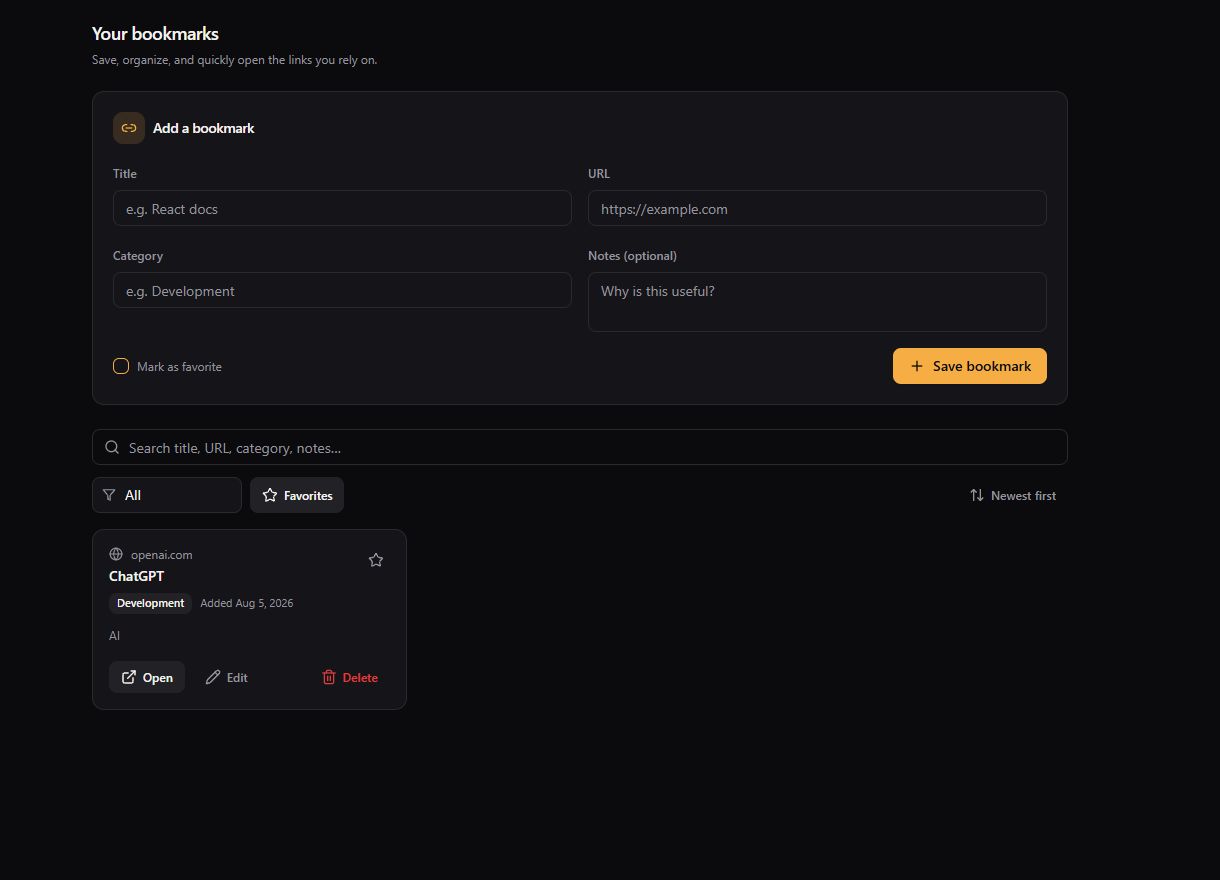
1. What you will build
2. Before you begin
3. Create the Base44 project
- 1.Open Base44 using the button at the top of this page.
- 2.From the Base44 home screen, click the main prompt field labeled "Describe the app you want to create."
- 3.Paste the master prompt from the next section.
- 4.Click Build/Send.
- 5.Do not choose a template and do not add integrations.
4. One-pass master build prompt
5. Let Base44 build
Wait until you have tested the app before requesting anything new. Extra requests now cost credits and can undo working behaviour.
6. Understand the data and security
- 1.Bookmark is the only entity in the app.
- 2.The createdBy field identifies the owner of each record.
- 3.Permissions must be enforced by Base44 at the entity/data layer.
- 4.Filtering records only in the interface is not security.
- 5.Signed-out users must not be able to access bookmark data.
- 6.One signed-in user must not be able to read or change another user's bookmarks.
Base44 permissions must protect the records even when someone calls the data API directly. Hiding a screen or filtering a list in the interface does not stop a direct request.
7. Test the completed app
8. Run the Base44 security scan
- 1.Click Publish in the editor.
- 2.In the Publish dialog, click Run scan.
- 3.Wait for the result.
- 4.Do not publish if the scan reports unresolved access-control problems.
The completed reference app reported "No risks."
9. Publish
Save or bookmark your published URL so you can return to the app later.
10. Keep credit usage low
Use the master prompt once. Test before asking for changes. Avoid optional suggestions such as bulk actions, Notion sync, tag systems, AI features, or integrations. Make only essential corrections, and stop as soon as the checklist passes.